EN
EN

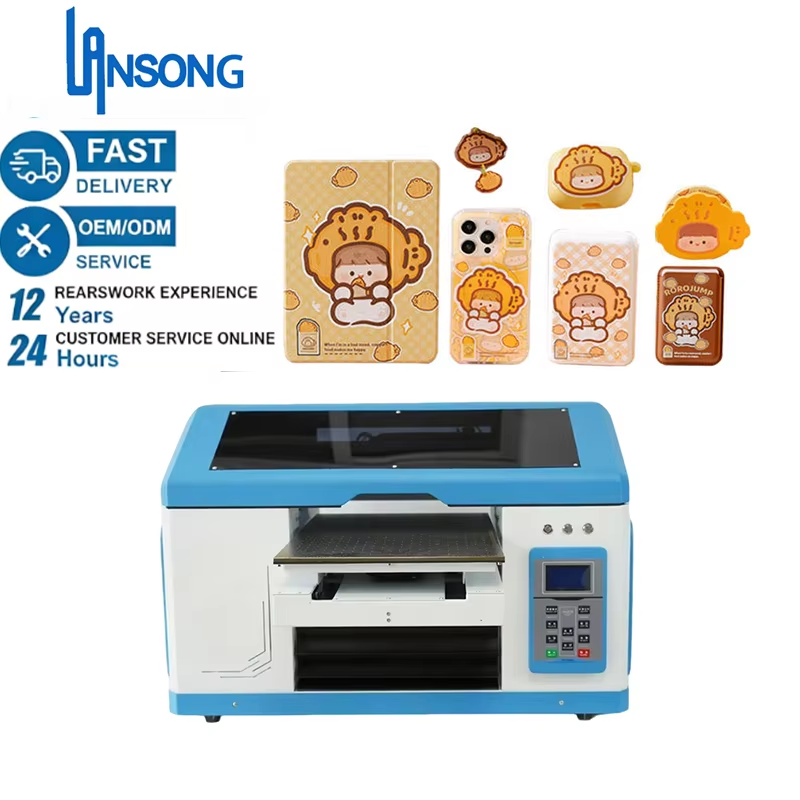
Pagpili ng Tamang Substrate na Kahoy para sa Iyong UV Flatbed Printer para sa Kahoy
Mga Hardwood vs. Engineered Panels: MDF, Birch Plywood, at mga Threshold ng Nilalaman ng Kahalumigan
Ang mga kahoy na oak at walnut ay nagbibigay ng mahusay na tibay kasama ang malalim na visual appeal na gumagawa sa kanila ng perpektong piliin para sa mga proyektong may mataas na antas, bagaman kailangan nilang maingat na pamahalaan ang kahalumigmigan. Ang mga engineered wood products tulad ng MDF boards at birch ply sheets ay nagbibigay ng pare-parehong sukat at napakaglat na ibabaw na kailangan para sa detalyadong graphic work. Panatilihin ang antas ng kahalumigmigan sa mga materyales na ito sa paligid ng 8 hanggang 12 porsyento. Suriin ito gamit ang isang de-kalidad na moisture meter bago ilagay ang mga ito sa UV flatbed printer. Kung masyadong tuyo o masyadong basa ang kahoy, mabilis na mangyayari ang mga problema—tulad ng mga gilid na nababaluktot, tinta na hindi mabuti ang pagkakadikit, at mga print na tila hindi natural ang itsura. Ang MDF ay lubos na epektibo para sa mga signage dahil sa kanyang konsistenteng komposisyon sa buong bahagi. Ang birch plywood ay mas tumitibay kapag ginagamit sa maramihang print pass dahil hindi ito madaling lumuwa o lumabas sa hugis dahil sa paraan ng pagkakalayer nito. Oo, ang paggamit ng solid hardwoods ay nangangahulugan ng mas mataas na paunang gastos at karagdagang oras upang siguraduhing lahat ay tama, ngunit may natatanging kahalagahan ang pagtingin sa mga natural na ugat ng kahoy at mga pagbabago ng kulay sa mga natapos na produkto—na walang kakayahang tularan ng anumang engineered alternative.
Surface Porosity, Grain Direction, at ang Kanilang Epekto sa Pagdikit ng Tinta at Kalinawan ng Pagpi-print
Ang dami ng mga butas sa kahoy ang nagtutukoy kung gaano kalalim ang pumasok na UV ink at kung gaano kaliwanag ang itsura nito sa natapos na produkto. Ang mga kahoy na sobrang porous, tulad ng cedar o pine, ay madalas na sumisipsip ng sobrang dami ng tinta, na nagdudulot ng kulay na parang nabuhusan at nagbibigay-daan sa mga nakakainis na pagkalat ng tinta sa paligid ng mga gilid. Mahalaga ang tamang pag-apply ng primer dito. Ibig sabihin, dapat ang kapal ng layer na iyon ay nasa pagitan ng 0.08 mm at 0.15 mm upang takpan ang mga maliit na butas nang hindi nakakatago sa likas na pattern ng kahoy. Sa pagpapakinis, tandaan na ang direksyon ng ugat ng kahoy ang pinakamahalaga. Lagi kang gumagalaw kasabay ng ugat, hindi laban dito—mula sa malalaking butil (halimbawa: 120) hanggang sa 240, at panghuli ay 400. Ang mga guhit na pahalang sa ugat ay sinisira ang mga print dahil lumilikha sila ng mga maliit na depekto na nakakaapekto sa pagrereflect ng liwanag at nagpapalabo sa mga detalye. Sa mga baluktot na ibabaw o anumang bagay na may mga kontur, gamitin ang sandpaper na may sponge backing imbes na ang karaniwang uri. Nakakatulong ito upang panatilihin ang pare-parehong presyon sa mga hindi pantay na bahagi. At huwag kalimutan ang mga hindi regular na pagbabago sa ugat ng kahoy—mga ito ay maaaring makapagdulot ng malaking problema sa mga setting ng printer head, na nagreresulta sa mga nakikitang band o spot kung saan hindi pantay ang paglalagay ng tinta sa buong print.
Mahahalagang Paghahanda sa Surface at Pre-Treatment para sa Maaasahang Pagdikit ng UV Ink
Mga Protokol sa Pagpapakinis, Paglilinis, at Pagse-seguro sa Vacuum Bed para sa mga Rigid na Wooden Substrate
Simulan sa pamamagitan ng pagpapakinis gamit ang papel na may butil na humigit-kumulang 180–220. Nakakatulong ito upang alisin ang mga nakakainis na marka mula sa gilingan, mga malalayang hibla, at iba pang dumi sa ibabaw, samantalang ini-iwan pa rin ang sapat na tekstura para maipadikit nang maayos ang tinta. Kaagad matapos ang hakbang na ito, linisin nang mabuti ang lahat gamit ang isopropyl alcohol na may mataas na kalinisan (humigit-kumulang 99%). Gamitin ang mga wala nang bakukang na tela na inirerekomenda ng karamihan ngayon. Siguraduhing walang anumang natitirang residue dahil ang anumang natira ay makakaapekto sa pagkakadikit ng primer at ng tinta sa susunod na yugto. Kapag inilalagay ang mga materyales sa vacuum bed, layunin ang presyon na humigit-kumulang 25–35 kPa. Ang layunin dito ay ang lubos na pagkontak sa buong lugar ng ibabaw nang walang mga puwang. Mag-ingat din sa antas ng kahalumigmigan! Kung ang kondisyon sa workshop ay umaabot sa higit sa 45% na relative humidity, maaaring magsimulang tumubo o magbaluktot ang mga ibabaw na kahoy habang nagpaprint. Panatilihin ang kahalumigmigan sa paligid ng 45–50% RH, kung posible. At huwag kalimutang i-level din ang mga panel. Anumang panel na may pagkakaiba ng higit sa 1.5 mm ay nangangailangan ng pansin gamit ang mga precision shim bago i-on ang vacuum system.
Mga Istratehiya sa Pag-prim na Tugma sa UV upang Maiwasan ang Pagbitak, Pagbabalat, o Pag-delamination
Ang tamang primer ay gumagana bilang isang tulay sa pagitan ng natural na hindi pagkakapare-pareho ng mga ibabaw ng kahoy at ng matibay na istruktura ng polimer ng UV inks. Kapag nag-aapply ng mga water-based adhesion promoters, layunin ang manipis at pantay na mga layer na may kapal na humigit-kumulang 3 hanggang 5 microns kapag tuyo na. Ang labis na pag-aapply ay nagdudulot ng mga pugad ng likido na tumatagal nang matagal upang ma-cure nang wasto, samantalang ang sobrang kakaunti naman ay iniwan ang ilang bahagi na mahina at madaling mahubog kapag nakalantad sa pagbabago ng temperatura o pisikal na stress habang inilalagay. Bigyan ng humigit-kumulang 8 hanggang 10 minuto ang mga water-based primer upang lubusang matuyo bago magpatuloy. Ang mga solvent-based na opsyon naman ay nangangailangan ng mas matagal na panahon — humigit-kumulang 15 hanggang 20 minuto kasama ang mabuting airflow upang payagan ang mga mapait na kemikal na mawala nang ligtas bago magsimula ang pagpi-print. Ipaunlad ang karagdagang mga layer sa mga problemang lugar tulad ng mga gilid, sulok, at mga profile cut kung saan madalas lumukob o hawakan ang mga materyales. Huwag ding i-cut ang oras para sa pagtutuyo. Ang hindi pantay na coverage o ang mabilisang pagtutuyo ay halos palaging nagreresulta sa mga naka-lift na print mamaya, lalo na sa mga lugar na may mataas na antas ng kahalumigmigan.
Pag-optimize ng UV Flatbed Printer para sa mga Setting at Kalibrasyon sa Kahoy
Ang pagpapahusay ng iyong UV flatbed printer para sa kahoy ay nangangailangan ng pagtugon sa mga hamong partikular sa materyal upang makamit ang propesyonal na resulta. Hindi tulad ng mga matigas na plastik o metal, ang bariabulong tekstura ng kahoy at ang posibilidad nitong magkabukod ay nangangailangan ng mga nakatutugon na konpigurasyon.
Kapal ng Tinta, Puting Underbase, Resolusyon, at mga Estratehiya ng Multi-Pass para sa Tekstura ng Kahoy
Kapag gumagawa ng mga disenyo sa mga kahoy na may bukas o porous na ugat, karaniwang mabuti ang pagtaas ng density ng tinta nang humigit-kumulang 15 hanggang 20 porsyento. Nakakatulong ito upang kompensahin ang dami ng tinta na naa-absorb ng kahoy habang nagpi-print, nang hindi pa nagdudulot ng mga problema dahil sa sobrang kahina ng kahoy. Para sa mga madilim na ibabaw tulad ng walnut o stained maple, simulan palaging sa isang puting base layer bago idagdag ang anumang kulay. Ang hakbang na ito ay nagpapatitiyak na ang mga kulay ay magiging buhay at mananatiling tapat sa kanilang orihinal na tono. Dapat nasa pagitan ng 600 at 1200 DPI ang resolution ng pagpi-print. Ang paggamit ng resolution na lampas sa 1200 ay maaaring magdulot ng mga problema, dahil ang mga napakaliit na droplets ng tinta ay maaaring magkumpol sa mga lugar kung saan mas malambot ang ugat ng kahoy. Karamihan sa mga printer ay nakakakita na ang paggamit ng 2 hanggang 4 na passes ay pinakaepektibo, depende sa konsistensiya ng ibabaw. Ang dagdag na mga passes ay nakakatulong upang mas pantay na ipamahagi ang tinta sa buong materyal at makabawas nang malaki sa pagpapakita ng ugat ng kahoy sa ilalim ng mga nai-print na imahe. Ayon sa isang kamakailang pag-aaral ng Digital Printing Research Consortium, ang multi-pass printing ay maaaring bawasan ang grain bleed-through hanggang 73 porsyento sa ilang kaso.
Taas ng Print Head, Balanseng DPI–Bilis, at Kalibrasyon ng Focus para sa Mga Hindi Pantay o Naka-ugat na Surface
Ang printhead ay dapat i-position sa paligid ng 2 hanggang 3 milimetro sa itaas ng pinakamataas na bahagi ng ibabaw ng materyal. Ang pagkamit ng tamang posisyon ay kadalasang nangangailangan ng mga laser-guided na height map para sa mas mataas na kahusayan. Kapag hinaharap ang mga panel na baluktot o hindi pantay (may higit sa 2 mm na pagkakaiba sa buong sukat nito), mainam na pabagalin ang proseso nang husto—sa pagitan ng 60% hanggang 70% ng karaniwang itinuturing na pamantayang bilis. Huwag kalimutan ding i-on ang tampok na dynamic focus sa loob ng RIP software. Upang panatilihin ang katiyakan ng lahat sa panahon ng pagpi-print—lalo na sa mga lugar kung saan limitado ang kontak sa vacuum system—ang pagdaragdag ng ilang maliit na spacer na may kapal na 0.5 pulgada ay makatutulong talaga sa pagpigil ng di-nais na paggalaw. Ang head strikes ay nangyayari kapag lumalabas tayo sa loob ng mga limitasyon, kaya laging tandaan na balansehin ang mga setting ng resolusyon kasama ang aktwal na bilis ng pagpi-print. Sa resolusyon na 1200 DPI, walang gustong pumila nang mas mabilis kaysa humigit-kumulang sa 15 metro kuwadrado kada oras. Gayunpaman, bago isagawa ang mga gawain para sa buong produksyon, kunan muna ng test sa iba’t ibang lugar na may pagkakaiba-iba sa taas. Ang simpleng hakbang na ito ay nakakaiwas sa mga problema sa susunod.
| Factor ng Kalibrasyon | Patag na ibabaw | Nagkakaibang Kahoy (>2 mm na pagkakaiba) |
|---|---|---|
| Bilis ng pag-print | 100% | 60–70% |
| Dumadaan | 1–2 | 3–4 |
| Intensidad ng Pagkakatigas | Katamtaman | Mataas (nagpapigil sa pagdaloy ng tinta) |
Pagpili ng UV na Tinta, Pagkakatigas, at Panghuling Pampangalaga para sa Matagalang Pagprint sa Kahoy
Kapag gumagamit ng UV flatbed printer sa kahoy, ang pagpili ng tamang UV-curable na tinta ay lubos na nakaaapekto sa pagkamit ng mga maliwanag na kulay na tumatagal. Ang karaniwang tinta ay hindi sapat dahil ito ay pumapasok sa ugat ng kahoy at nagdudulot ng malabo o hindi malinaw na imahe. Ngunit ang UV na tinta ay gumagana nang iba. Ito ay dumarikit agad sa ibabaw kapag sinikat ng malakas na UV na liwanag, kaya walang nangyayaring pag-absorb. Ang resulta nito ay isang matibay na protektibong patong na tumutol sa mga sugat, pinsala dulot ng tubig, at pagkawala ng kulay dahil sa sikat ng araw. Ang mga katangiang ito ay lalo pang mahalaga sa mga bagay tulad ng mga palatandaan na kahoy na kailangang harapin ang mga kondisyon ng panahon o dekoratibong panel sa pader na madalas hawakan. Gusto mo ba ng isang produkto na tumatagal? Siguraduhing pumili ng mga espesyal na tintang ito para sa pinakamahusay na resulta sa habang panahon.
- Mga Tintang Nakaukulan sa Uri ng Materyales mga flexible na kemikal na tinta ang sumasaklaw sa likas na paglalawig/pagkontrakt ng kahoy nang walang pagsira.
- Proteksyon Pagkatapos ng Pagpapagaling ang malinaw na UV-curable na topcoat ay nagpaprotekta sa mga print laban sa pagsuot at pagkakalantad sa kapaligiran, na nagpapahaba ng buhay ng kulay nang 3–5 taon kumpara sa mga output na walang coating.
- Stratehiya ng Maraming Layer ang puting underbase ay nagpapataas ng opacity sa madilim na kahoy bago idagdag ang mga detalyadong layer—mahalaga ito para sa katumpakan ng kulay at katatagan ng registration.
Ang pagkuha ng tamang proseso ng pagpapatuyo ay nangangahulugan ng tamang pagpili ng mga lampara na gumagamit ng UV—parehong sa lakas at sa tagal ng pagkakapal ng liwanag sa ibabaw. Ang kawalan ng sapat na enerhiya ay nagdudulot ng mga problema tulad ng pagkakalag at mahinang paglaban sa mga ugat. Ngunit kung lumampas sa kailangan, ang mga mas maliwanag na kahoy tulad ng maple o ash ay magsisimulang pumuti o kumuning over time. Gayunpaman, ang mga pagsusuri na pabilisin ang natural na epekto ng panlabas na kapaligiran sa loob ng limang taon ay nagpapakita ng isang kakaibang resulta: kapag ginamit ang mga espesyal na pormuladong tinta kasama ang angkop na protektibong coating, nananatili ang humigit-kumulang 95% ng orihinal na kulay ng mga print. Mahalaga ito lalo na kapag gumagawa ng mga produkto mula sa kahoy na para sa komersyal na gamit. Ang buong proseso ng pagpipinta—mula simula hanggang wakas—ay nangangailangan ng maingat na pansin kung gusto nating makamit ang matitibay na resulta na kayang tumagal sa tunay na kondisyon ng mundo.
Madalas Itanong
Anong uri ng kahoy ang pinakamainam na ginagamit sa mga UV flatbed printer?
Parehong ang mga hardwood tulad ng oak at ang mga engineered wood tulad ng MDF at birch plywood ay magandang opsyon. Ang mga hardwood ay nagbibigay ng tibay at estetikong atractibo, samantalang ang mga engineered wood ay nag-aalok ng pare-parehong sukat para sa detalyadong pagpi-print.
Bakit mahalaga ang nilalaman ng kahalumigmigan kapag nagpiprint sa kahoy?
Ang nilalaman ng kahalumigmigan ay nakaaapekto sa paraan kung paano dumaadip sa kahoy ang tinta at maaaring maiwasan ang mga isyu tulad ng mga gilid na nabubuwal o tinta na hindi maayos na dumaadip. Ang pinakamainam ay panatilihin ang antas ng kahalumigmigan sa pagitan ng 8–12% para sa pinakamahusay na resulta.
Paano nakaaapekto ang porosity ng ibabaw sa pagdadaip ng tinta?
Ang porosity ay nakaaapekto sa dami ng tinta na naaabsorb ng kahoy. Ang mga sobrang porous na kahoy ay maaaring magdulot ng mga kulay na pangit at pagkalat ng tinta, kaya kailangan ang tamang aplikasyon ng primer.
Talaan ng Nilalaman
- Pagpili ng Tamang Substrate na Kahoy para sa Iyong UV Flatbed Printer para sa Kahoy
- Mahahalagang Paghahanda sa Surface at Pre-Treatment para sa Maaasahang Pagdikit ng UV Ink
- Pag-optimize ng UV Flatbed Printer para sa mga Setting at Kalibrasyon sa Kahoy
- Pagpili ng UV na Tinta, Pagkakatigas, at Panghuling Pampangalaga para sa Matagalang Pagprint sa Kahoy
- Madalas Itanong