 EN
EN

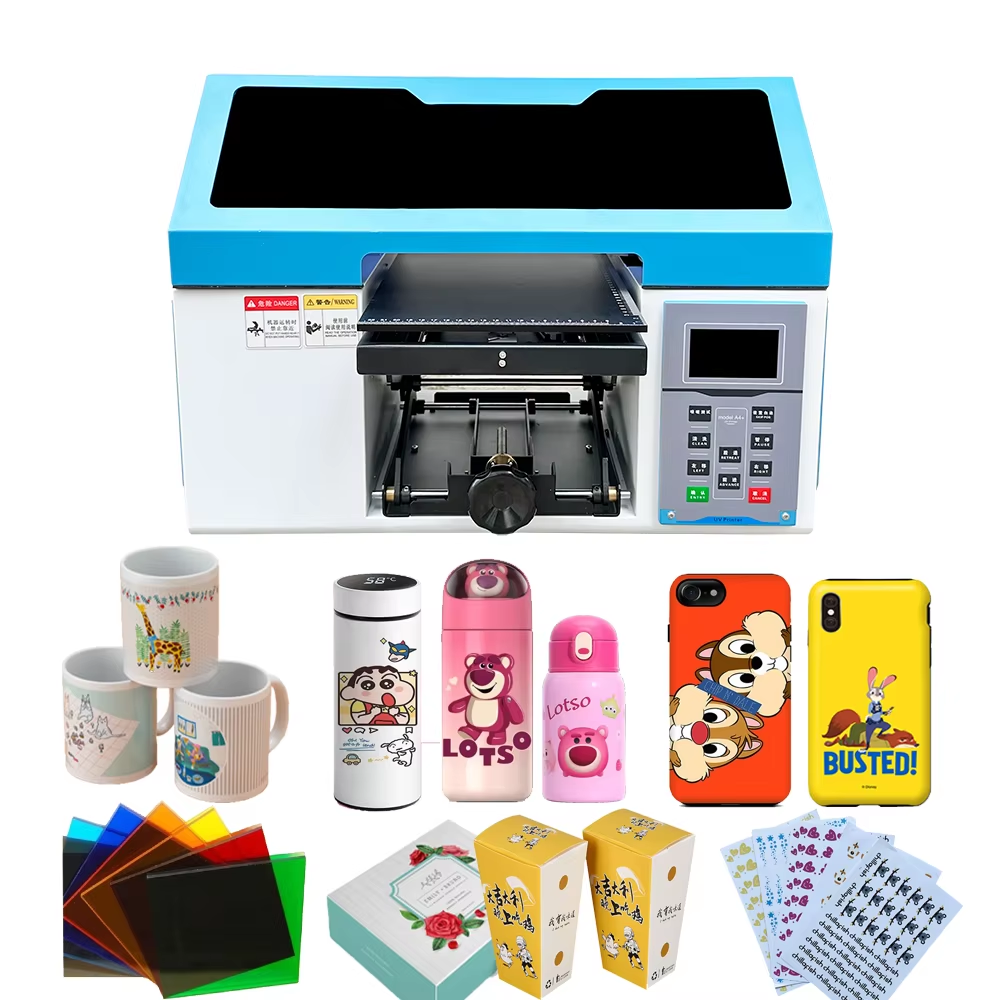
Understand What a UV Sticker Printer Does for Custom Decals
A UV sticker printer is designed to print high-resolution graphics directly onto adhesive materials using ultraviolet-curable ink. Unlike traditional solvent or eco-solvent printers, UV technology instantly cures the ink using UV light, creating durable prints that are resistant to scratches, water, and fading. This makes a UV sticker printer ideal for producing custom decals, labels, packaging stickers, branding graphics, and promotional products.
From practical experience working with custom printing workflows, many small printing shops initially rely on eco-solvent printers for sticker production. However, they often encounter issues such as long drying times, limited material compatibility, and lower durability. A modern UV sticker printer solves these problems by offering instant curing, sharper color reproduction, and compatibility with a wider range of materials, including vinyl, PET, PVC, acrylic, and coated paper.
According to industry insights from organizations such as the Printing Industries of America (PIA), UV printing has become one of the fastest-growing segments in digital printing due to its efficiency, versatility, and environmentally friendly ink technology. For businesses that want to produce professional-grade decals, choosing the right UV sticker printer is therefore a critical investment.
Evaluate Print Quality and Resolution
When selecting a UV sticker printer, print quality should be the first technical specification to evaluate. Custom decals often require sharp lines, vibrant colors, and precise details, especially for branding, logos, or decorative graphics.
Most professional UV sticker printer systems support high resolutions ranging from 720 dpi to 2880 dpi, allowing them to produce photographic-quality decals. Higher resolution ensures smooth gradients, crisp text, and accurate color reproduction.
Another important factor is the type of print head used. Advanced UV sticker printer models often use industrial-grade print heads such as Epson or Ricoh systems, which provide stable ink output and consistent droplet control. This directly affects both print clarity and long-term reliability.
In real-world production environments, businesses that prioritize high-resolution UV sticker printer technology often see improved customer satisfaction because their decals appear sharper and more professional. For applications such as product labeling, laptop stickers, car decals, and brand packaging, print precision is essential.
Check Material Compatibility and Printing Flexibility
A major advantage of a UV sticker printer is its ability to print on a wide range of materials. When choosing a machine, it is important to verify whether it supports the substrates you plan to use.
Typical materials supported by a UV sticker printer include:
-
• PVC vinyl sticker sheets
-
• PET transparent films
-
• Adhesive labels
-
• Synthetic paper
-
• Coated paper
-
• Reflective materials
Many advanced UV sticker printer models can also print on rigid materials, expanding production capabilities beyond decals to include items such as phone cases, promotional boards, acrylic signs, and packaging components.
From an operational standpoint, this flexibility allows businesses to diversify their product offerings. For example, a printing company that originally produced simple decals can easily expand into custom branding products, industrial labels, and decorative signage using the same UV sticker printer.
When evaluating machines, make sure the printer supports both white ink and varnish printing, which are important for producing layered effects, embossed textures, and vibrant prints on dark or transparent materials.
Consider Production Speed and Workflow Efficiency
Production efficiency is another key factor when selecting a UV sticker printer. For commercial decal production, printing speed directly impacts profitability and order turnaround time.
Entry-level UV sticker printer models may produce around 4–6 square meters per hour, which is suitable for small businesses or startup print shops. However, industrial-level machines can reach 10–20 square meters per hour or more, making them ideal for bulk decal production.
Beyond raw speed, workflow features also matter. Many professional UV sticker printer systems integrate:
-
• Automatic height adjustment
-
• Roll-to-roll feeding systems
-
• Continuous printing capabilities
-
• Smart RIP software integration
These features reduce manual intervention and help maintain consistent output during long print runs. Based on real production experience, companies that invest in automated UV sticker printer workflows often reduce labor costs and significantly improve operational efficiency.
Evaluate Ink System, Durability, and Environmental Impact
Ink technology plays a critical role in the overall performance of a UV sticker printer. UV-curable inks are known for their durability, but the formulation and curing system can vary between manufacturers.
A high-quality UV sticker printer should provide:
-
• Strong adhesion on adhesive materials
-
• Scratch resistance
-
• Waterproof performance
-
• Fade resistance for outdoor use
This is particularly important for decals used on vehicles, electronics, outdoor equipment, or retail displays. High-performance UV inks ensure that printed graphics remain vibrant for years without peeling or fading.
Another important consideration is environmental impact. Many modern UV sticker printer models use low-VOC inks, which produce fewer emissions compared to traditional solvent-based systems. This aligns with sustainability standards recommended by organizations such as the International Association of Printing House Craftsmen (IAPHC).
Choosing an environmentally responsible UV sticker printer not only protects the workplace environment but can also enhance brand credibility when serving eco-conscious clients.
Assess Machine Reliability and Technical Support
Investing in a UV sticker printer is not only about specifications—it is also about long-term reliability and support. Printing businesses rely heavily on equipment uptime, so choosing a trusted manufacturer with reliable service is essential.
Professional manufacturers such as those featured on PTSCX provide UV sticker printer solutions designed for stability, precision, and long-term production use. Their machines typically include:
-
• Industrial-grade motion systems
-
• Stable UV LED curing systems
-
• User-friendly control software
-
• Maintenance-friendly designs
From industry experience, businesses that choose suppliers offering training, technical support, and spare parts availability encounter far fewer operational interruptions. This ensures the UV sticker printer continues to deliver consistent production quality over time.
Before purchasing, it is also recommended to request sample prints, machine demonstrations, or technical consultations to ensure the printer meets your specific decal production needs.
Match the UV Sticker Printer to Your Business Scale
Finally, selecting the right UV sticker printer depends heavily on your business scale and production goals. A startup decal business may prioritize affordability and versatility, while a large printing company may require higher speed and automation.
For example:
-
• Small businesses may choose compact UV sticker printer models for custom orders and personalized decals.
-
• Medium-sized print shops often need roll-to-roll UV sticker printer systems to handle larger volumes.
-
• Industrial manufacturers may invest in high-speed UV sticker printer equipment for mass production of labels and packaging graphics.
Evaluating factors such as budget, available workspace, expected production volume, and product diversification will help ensure the UV sticker printer you select aligns with your long-term business strategy.
In today’s competitive customization market, a well-chosen UV sticker printer can dramatically enhance productivity, expand product capabilities, and help businesses deliver high-quality decals that stand out in the marketplace.
Table of Contents
- Understand What a UV Sticker Printer Does for Custom Decals
- Evaluate Print Quality and Resolution
- Check Material Compatibility and Printing Flexibility
- Consider Production Speed and Workflow Efficiency
- Evaluate Ink System, Durability, and Environmental Impact
- Assess Machine Reliability and Technical Support
- Match the UV Sticker Printer to Your Business Scale