EN
EN

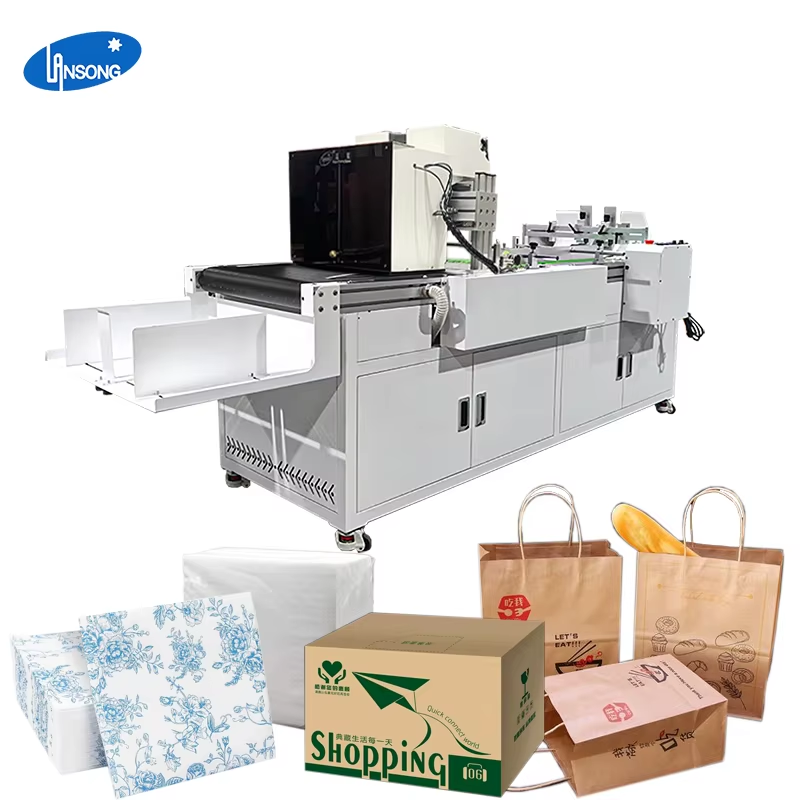
In the modern customized printing industry, achieving consistent, high-quality prints every time is the key to satisfying customers and improving production efficiency. For businesses that focus on napkin production, napkins digital printer has become an essential device, which can not only realize personalized pattern printing but also ensure the stability of each batch of products. This article will focus on How to Achieve Consistent Prints with a Napkins Digital Printer, and explain the practical methods and operating points from the aspects of equipment preparation, material selection, parameter setting and daily maintenance, so that every user can easily master the skills of stable printing.
Pre-Use Inspection of Napkins Digital Printer
Before official printing, comprehensive inspection of napkins digital printer is the first step to ensure consistent effect. Check whether the nozzle is clean and unobstructed, whether the ink supply system is stable, and whether the transmission platform is running smoothly. Any small fault may lead to color difference, ghosting or position deviation in printing. At the same time, confirm that the equipment has been preheated for a sufficient time to reach the optimal working temperature, so as to avoid unstable inkjet caused by temperature change and ensure that each napkin presents the same printing effect.
Selection of Napkin Materials Suitable for Digital Printing
The consistency of printing is closely related to the selection of raw materials. To achieve stable output, it is necessary to select napkin raw materials with uniform texture, consistent thickness and good ink absorption. Materials with too large difference in surface smoothness will lead to different ink diffusion degrees, resulting in obvious color difference between different napkins. When using napkins digital printer, matching special printing napkin paper can make the ink adhere evenly and dry quickly, fundamentally reducing the probability of inconsistent printing.
Setting Standard Printing Parameters
Reasonable and fixed parameter configuration is the core of realizing consistent printing. According to the characteristics of the equipment, set fixed resolution, ink output, printing speed and drying temperature. Avoid frequent adjustment of parameters in the same batch of production, so as to prevent color and definition changes caused by parameter differences. When using napkins digital printer, save the mature parameter template for direct calling in subsequent production, which can not only improve efficiency but also strictly ensure the consistency of each print.
Regular Maintenance of Nozzle and Ink System
The nozzle and ink system of napkins digital printer directly determine the printing stability. Regularly clean the nozzle to prevent ink clogging, and check whether the ink filter is normal to avoid impurity mixing affecting the inkjet effect. Use ink of the same brand and model to avoid color deviation caused by mixed use of different inks. Adequate ink supply and stable ink pressure can ensure that each nozzle works evenly, so that the color and pattern of each napkin are completely consistent.
Control of Printing Environment
Environmental factors such as temperature, humidity and dust will also affect the printing consistency of napkins digital printer. Keep the working environment at a constant temperature, avoid excessive humidity leading to slow ink drying or material deformation, and reduce dust floating in the air to prevent dust from adhering to the nozzle or material surface causing printing defects. A stable printing environment can reduce external interference and make the equipment maintain a stable output state for a long time.
Operator Standardized Operation Training
Unified operation specifications are also crucial to achieve consistent prints. Train operators to follow fixed processes, including material placement, starting sequence, parameter checking and post-printing inspection. Avoid operational errors caused by human factors, such as uneven material placement, wrong parameter opening, etc. Standardized operation can make the working state of napkins digital printer more stable, and ensure that each batch of napkin printing maintains high consistency.
Post-Printing Quality Inspection and Record
Establish a complete inspection process to check the color, definition and position of printed napkins in real time. Record the parameters and effects of each stable printing, which can be used as a reference for subsequent production. If individual inconsistent products are found, analyze the causes in time and adjust the equipment or parameters. Through continuous inspection and optimization, napkins digital printer can always maintain the best printing state and achieve long-term stable and consistent output.
Summary
This article focuses on How to Achieve Consistent Prints with a Napkins Digital Printer, starting from the pre-use inspection, material selection, parameter setting, equipment maintenance, environmental control, standardized operation and quality inspection of napkins digital printer, comprehensively explains the key points to ensure printing consistency. By strictly implementing these steps, users can make full use of the performance of napkins digital printer, stably output high-quality printed napkins, meet market demand and improve production benefits.
Table of Contents
- Pre-Use Inspection of Napkins Digital Printer
- Selection of Napkin Materials Suitable for Digital Printing
- Setting Standard Printing Parameters
- Regular Maintenance of Nozzle and Ink System
- Control of Printing Environment
- Operator Standardized Operation Training
- Post-Printing Quality Inspection and Record
- Summary